 Cullwise
Sort your photo library, one swipe at a time.
Cullwise shows your photos one by one. Swipe to keep, delete or skip, and tap an album to file a photo as you go. Thousands of photos, a few minutes a day.
For iPhone with iOS 26 or later.
Install TestFlight from the App Store first. For iPhone with iOS 26 or later.
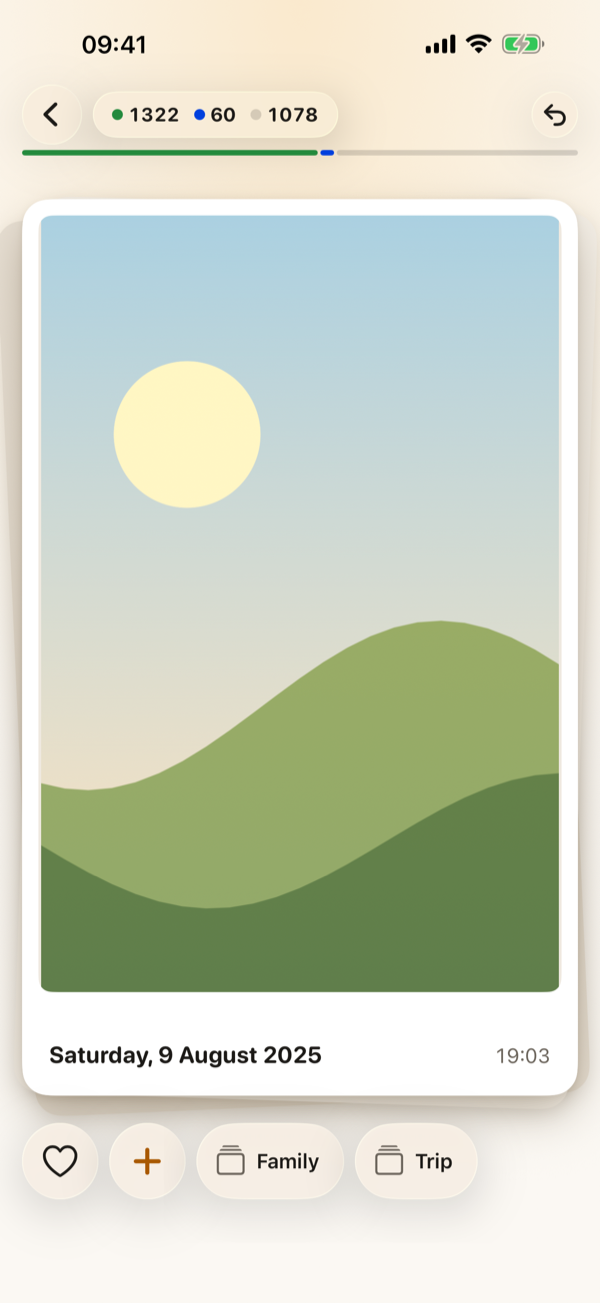
One move per photo
No menus, no selecting. Every photo gets a decision and the next one is already waiting.
-
Swipe right to keep
The photo stays where it is and Cullwise remembers you’ve seen it.
-
Swipe left to delete
It goes on a list for later. Nothing is deleted until you look the list over and confirm.
-
Swipe up to skip
Not sure yet? The photo comes back at the end of the run.
-
Tap an album
Your albums sit under the photo. One tap adds it and moves on, in Photos itself.
Made for big libraries
Start with the whole library, or pick a month, a day, a place or an album when you have five minutes.
-
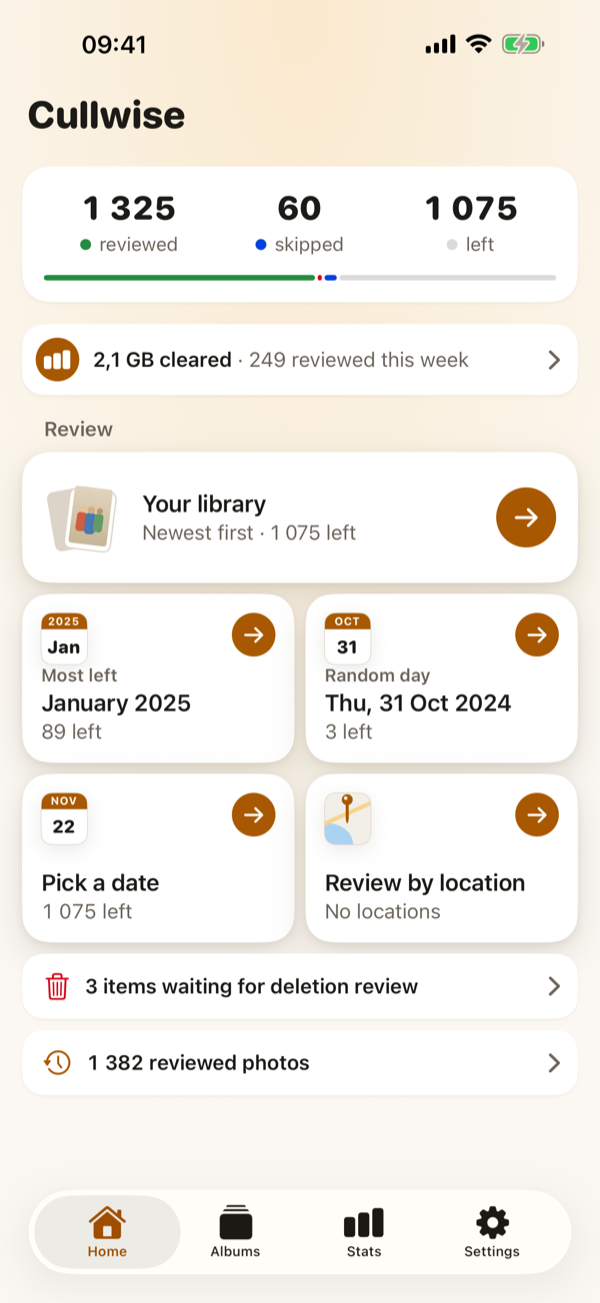
See where you areReviewed, skipped and left, with a month or a day suggested when you want a smaller run. -
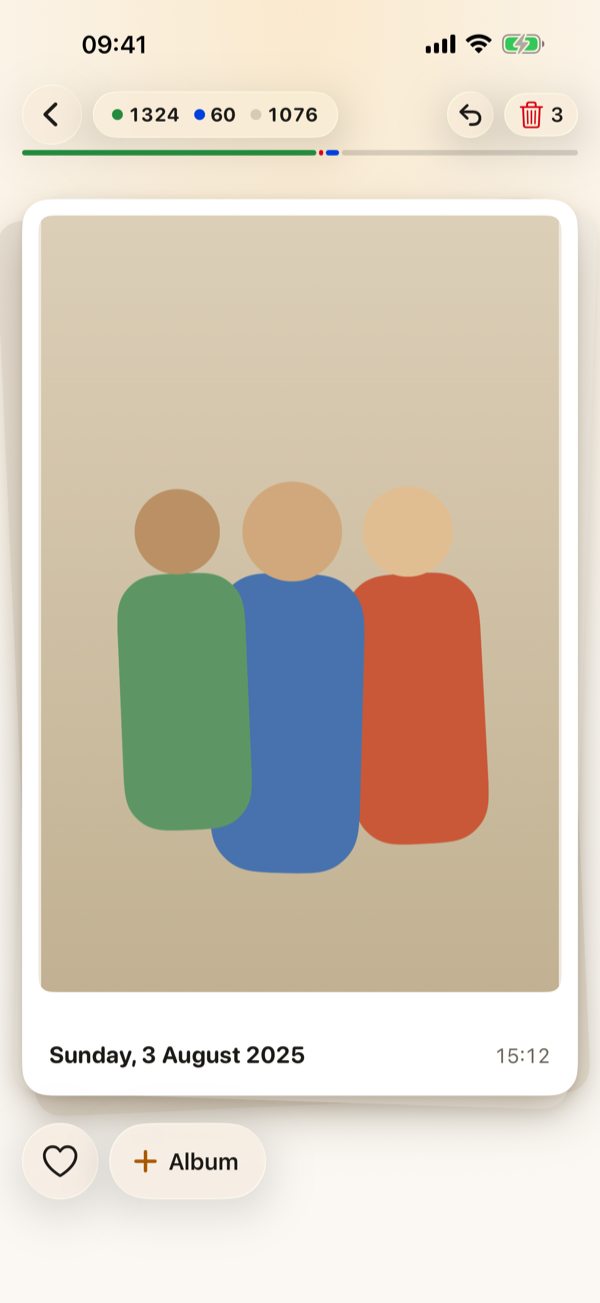
Undo is always thereChanged your mind? Step back through this session’s decisions, then carry on. -
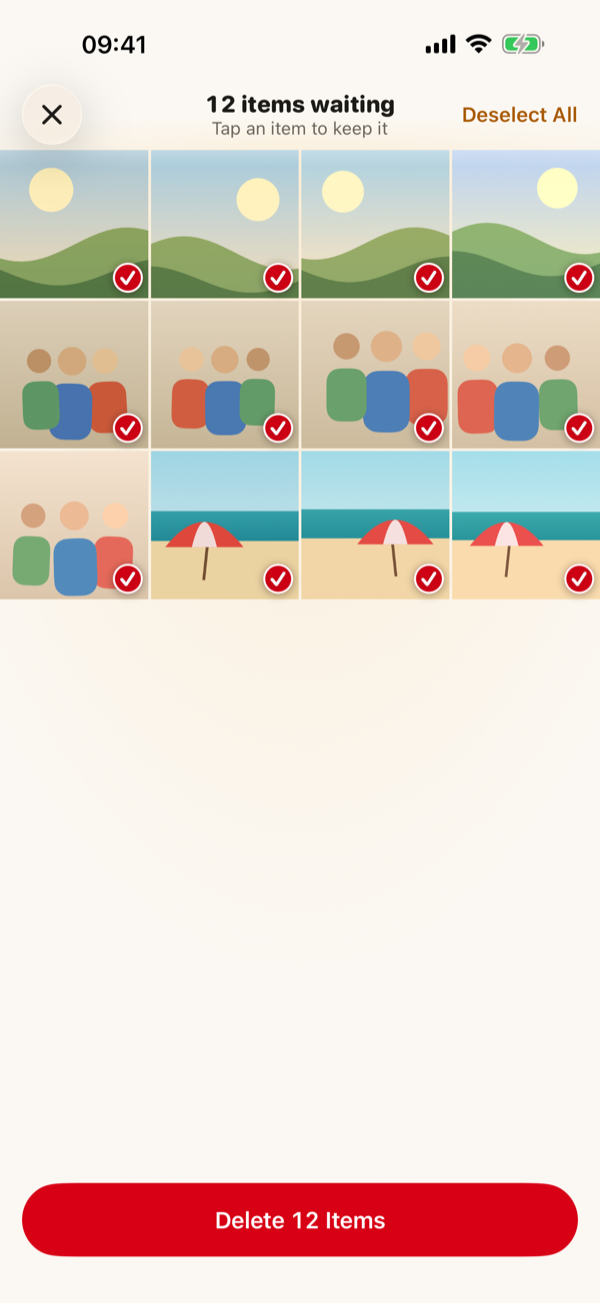
Delete in one goLook over everything you swiped left, untick what you want to keep, then delete. -
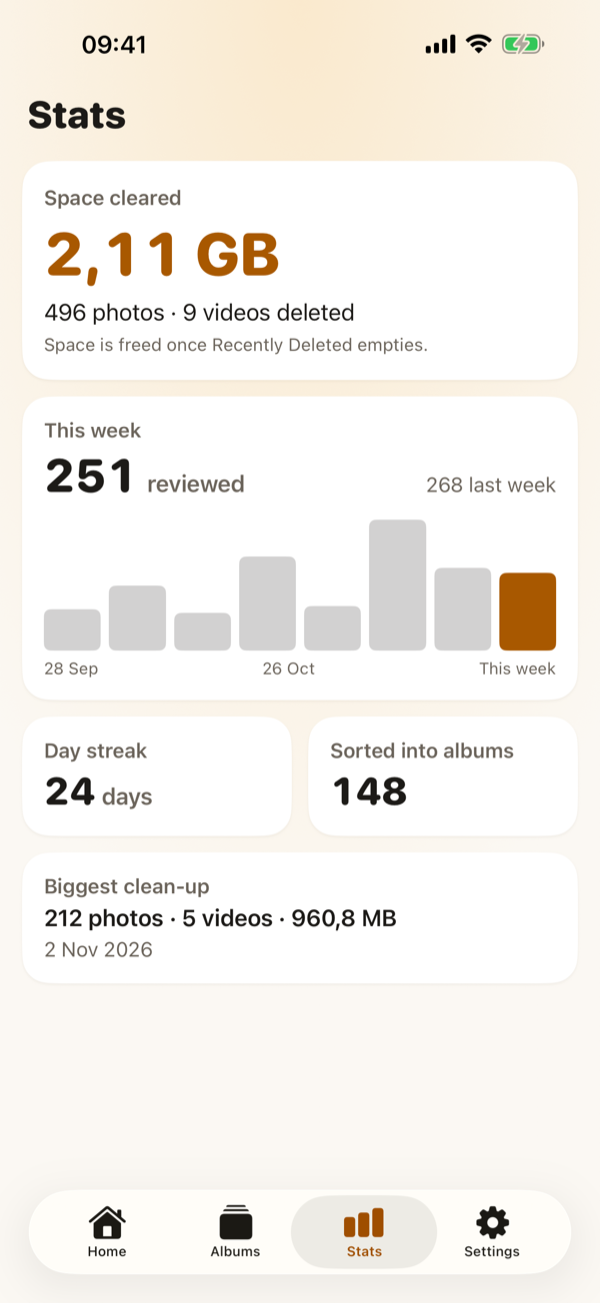
Watch the space come backSpace cleared, your weekly pace and your streak, counted on your iPhone.
Nothing disappears by accident
A left swipe is only a note. Photos leave your library when you say so, and you can still get them back.
Favorites can’t be marked for deletion, and neither can a photo that hasn’t finished loading, so you never delete what you haven’t seen.
- Swipe leftThe photo joins the list waiting for deletion review. Undo takes it off again.
- Review the listEvery marked photo in one grid. Untick anything you want to keep.
- Confirm with iOSiPhone asks once more before anything is deleted.
- Recently DeletedDeleted photos wait in the Photos app’s Recently Deleted album for 30 days, where you can recover them.
Nothing leaves your iPhone
Cullwise works directly with the Photos library on your iPhone. Your photos and your decisions are never uploaded anywhere.
- No accountOpen the app and start. There’s nothing to sign up for.
- No serversCullwise has no cloud of its own. Photos stored in iCloud are downloaded by iOS, as in Photos.
- No trackingNo analytics, no ads and no data collected in the app. Privacy policy
Free to start
Review, undo, albums, favorites and stats are free. Delete up to 100 items free; Cullwise Pro, a one-time purchase, removes the limit. No subscription, and Family Sharing is included.